Online open source
MagicWindows
Apple’s Magic Keyboard layouts on Windows. Native, free.

The Magic Keyboard’s Command key becomes a Windows key
In short
Dual distribution channel: native Tauri/Rust desktop app (NSIS/MSI x64) AND public Svelte 5 web SPA on Cloudflare Workers with 12 downloadable ZIPs (6 layouts × 2 archs).
Cross-compile x64 + ARM64, EN/FR i18n, monorepo workspaces, 78 tests, 0 TS errors, 0 clippy warnings.
Highlights
-
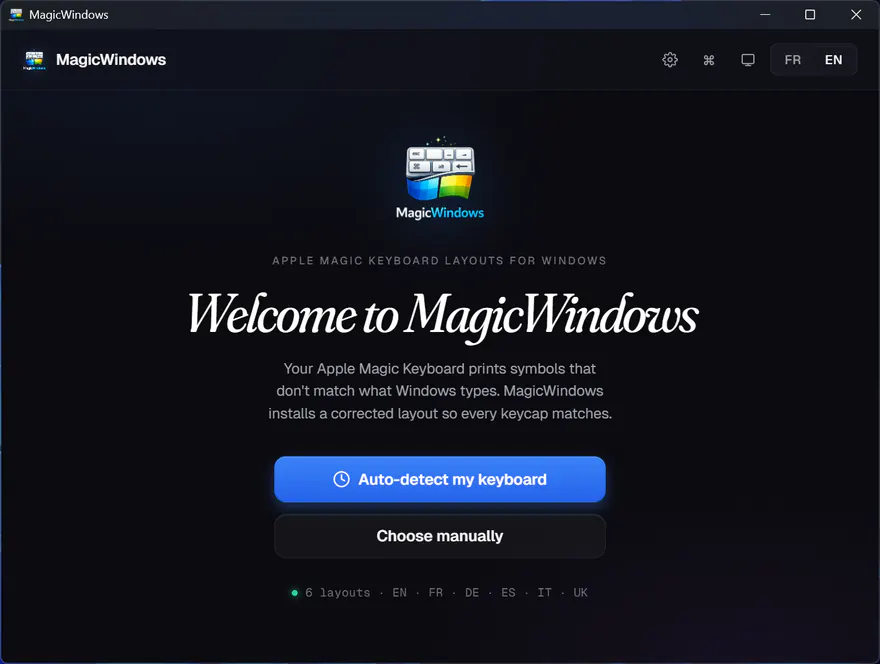
Automatic detection
Apple keyboard identification via scancode stream: 3 to 5 keystrokes are enough
-
Shared visual preview
@magicwindows/keyboard-visualcomponent (920 LOC) consumed by 4 desktop pages + 1 web page: single source of truth -
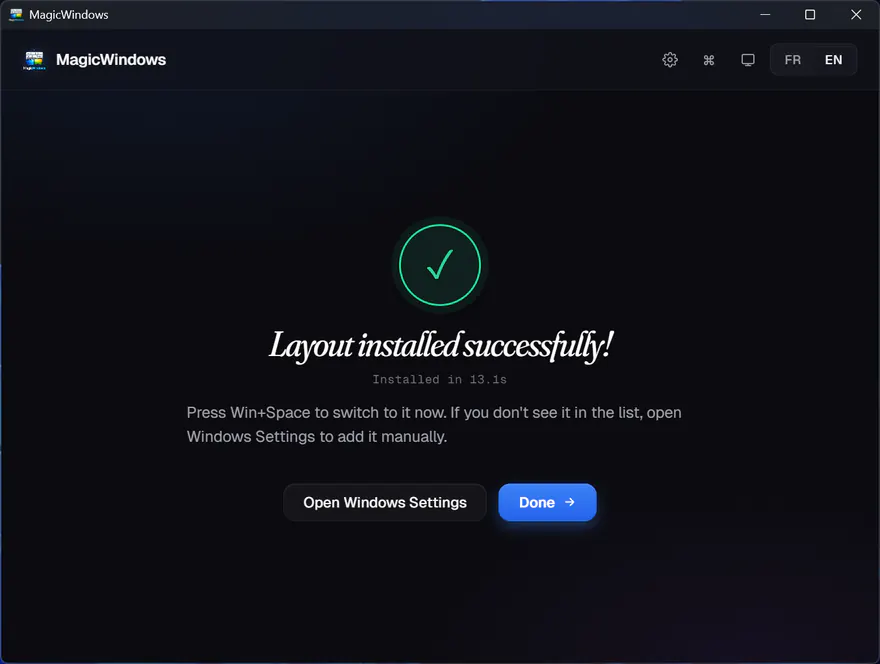
One-click install
KLC → compiled DLL, copy to System32, HKLM registry, force-activate with no reboot
-
Modifier toggles + F12 remap
Cmd↔Ctrl, Opt↔Cmd, F12 → Calc/Search/Mail via Scancode Map composition: toggles + remaps coexist (V0.3)
-
Post-install Health Check
ToUnicodeExprobe via PowerShell + live keyboard modal: verifies the layout is actually active (V0.3) -
Bluetooth Pairing Assistant
Auto-detects Apple HID (VID 0x05AC) + 2s/5min polling, redirects to Detect on pairing (V0.3)
-
Web SPA + R2 downloads
magicwindows.mindvisionstudio.com (Cloudflare Workers) with interactive preview + 12 versioned ZIPs on dl.mindvisionstudio.com (R2 public)
-
Cross-compile x64 + ARM64
build.rsdrives MSVC Hostx64/{x64,arm64} and produces 12 deterministic DLLs: release reproducible byte-identical between runs
By the numbers
- ~12.7K Lines
- 78 Tests
- 6 Layouts
- 12 DLLs (x64+ARM64)
- 3 Active domains
The story
Why I built it
The low-profile MacBook keyboard: I’ve never recaptured that typing feel on a stock Windows setup. The obvious fix: buy an Apple Magic Keyboard and plug it in over USB. Except the layout doesn’t match, the modifiers are reversed, and off-the-shelf solutions (Magic Utilities & co) run at €20-30 per year on subscription for a problem solved with a few Windows Registry writes.
So I built it: native Tauri/Rust, open source, one-click install, free. V0.4 opened a second channel: a public web site (Cloudflare Workers) that serves an interactive preview and hosts 12 downloadable ZIPs on R2, for users who just want a DLL without installing the desktop wrapper.
Structural technical decisions
Tauri v2 + Rust backend
Native Windows binary able to touch Win32 / registry / elevation cleanly: impossible with Electron without shipping Node and Chromium in the bundle.
KBD DLL compiled at build, cross-compile x64 + ARM64
Windows rejects a purely logical layout: it wants a DLL in System32. klc-codegen (968 Rust LOC) generates the C source, build.rs (438 LOC) detects both MSVC Hostx64/{x64,arm64} toolchains and produces 12 DLLs (6 layouts × 2 archs). ARM64 is optional: a warning if the toolchain is missing, x64 build continues.
Composed Scancode Map (V0.3)
Modifier toggles + F12 remap + future remaps coexist in a single Scancode Map without clobber. Byte-by-byte identity tests on the composition. Allows adding new remaps without breaking previous ones.
Monorepo workspaces + dual desktop/web channel (V0.4)
The KeyboardVisual component (920 LOC) extracted to @magicwindows/keyboard-visual is consumed by 4 desktop pages + 1 web page: single source of truth. Web SPA Svelte 5 served by Cloudflare Workers static-assets, 12 ZIPs hosted on R2 behind dl.mindvisionstudio.com with custom domain. Deterministic release pipeline (EPOCH mtimes + statConcurrency:1) → byte-identical ZIPs between runs if sources didn’t change.
The non-trivial challenge
Coordinating install across elevation and non-elevation
Installing a Windows keyboard layout means: a DLL in C:\Windows\System32 + an HKLM\...\Keyboard Layouts\<id> key (admin) + an HKCU activation per user (non-admin). An elevated PowerShell can’t reliably write into the original user’s LOCALAPPDATA, and the non-elevated parent doesn’t see the admin script’s result.
Solution in install.rs: the elevated PS script writes markers into HKLM (the only reliable shared channel), the non-elevated parent reads them back and performs the HKCU activation.
Lesson learned
On Windows, the real complexity is not "writing a keyboard file": it is respecting the elevation / non-elevation boundary. Any flow that touches System32 + HKLM + HKCU needs a communication channel between the two worlds (HKLM here, used as a mailbox).
And once the desktop is stable, opening a parallel web channel (R2 downloads + interactive preview) costs little but doubles the product’s discovery surface.
Tech specs
Where it runs Tauri 2.10 · Rust 1.77+ · Cloudflare Workers · R2 (public)
| Frontend | Svelte 5.55 (runes mode) · TypeScript 6 strict · Vite 8 · Tauri API |
|---|---|
| Backend | Rust 1.77+ · Tauri 2.10 · winreg · serde_json · KLC Engine |
| Cross-compile | MSVC Hostx64/x64+arm64 · klc-codegen · deterministic build.rs |
| Web SPA | Hash routing · Reactive EN/FR i18n · Responsive 3 breakpoints |
| Edge / Infra | Cloudflare Workers · R2 (public) · 2 custom domains · Wrangler 3 |
| Tests / CI | Vitest 2.1 (41 cases) · cargo test (37 cases) · GitHub Actions · cargo clippy clean |